What is a digital tachograph card?
You need a digital tachograph card to drive any commercial vehicle fitted with a digital tachograph — in practice, most vehicles over 3.5 tonnes built since 2006. The card is tied to you personally, so every hour of driving is logged against the card that was in the slot.
The card looks like a driving licence: credit-card sized with photo ID and a 16-digit alphanumeric card number. There are four types.
The four card types
Held by the driver, inserted before every drive. Valid five years, one card per driver, and it is an offence to drive on an expired, replaced or defective card — or to let anyone else use yours.
The operator's key to the unit. It locks company data into the tachograph and is needed to download the data, which must be kept in its original encrypted form for at least two years.
Held by approved technicians who install and calibrate units. It is the only card other than a driver card that lets the holder drive the vehicle, for road tests.
Issued to DVSA examiners and the police. Used at roadside checks to print any infringements from the last 365 days.
How a manual entry works
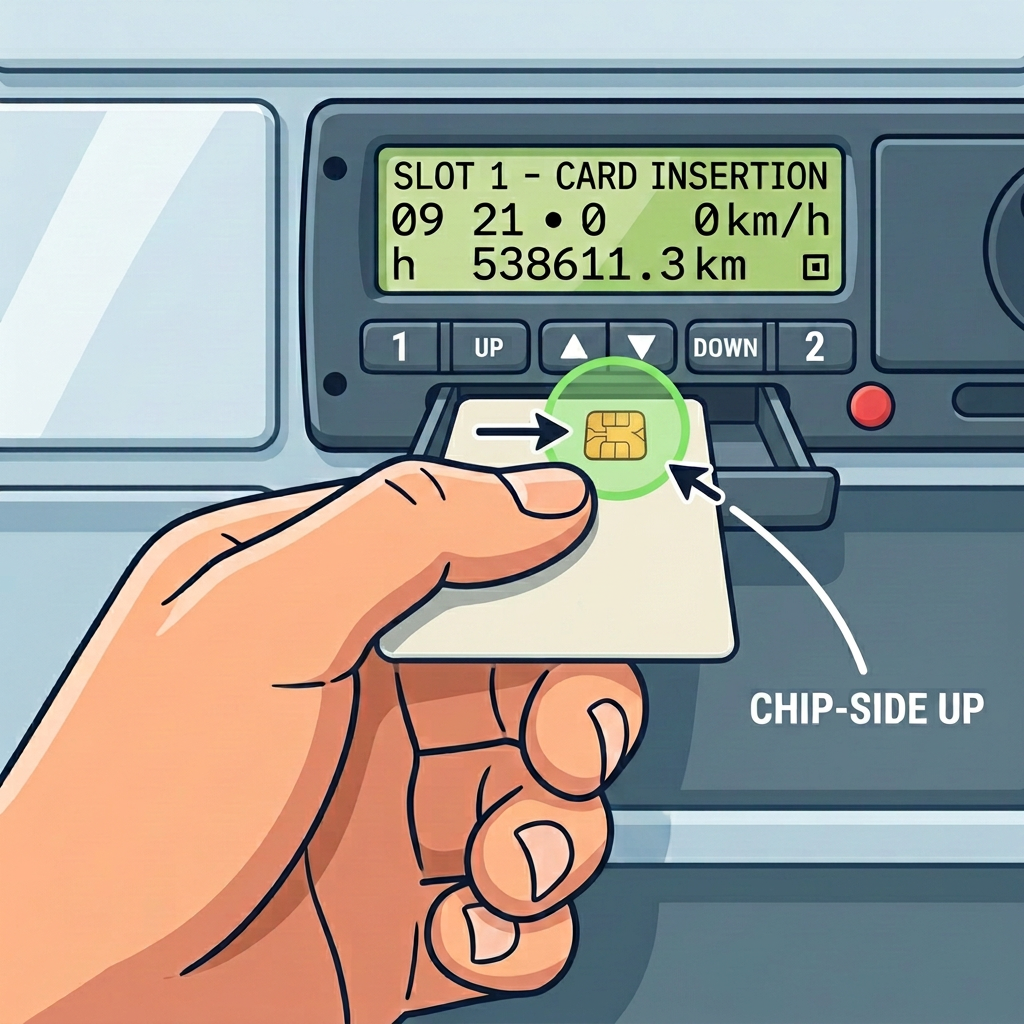
- Chip side up and at the front of the card, photo of your face down. Push in and slide the tray closed.
- The unit reads your name and shows when your card last came out.
- Answer YES to the manual entry prompt whenever there is unrecorded time.
- Tell it what you were doing from the last card-out time — usually rest.
- Set the time that period ended.
- Set what you are doing now — normally other work, for your walkaround check.
- Enter your begin country, read it back and confirm.
Lost, stolen or damaged cards
Report it and apply for a replacement straight away. You may drive for up to 15 days without the card, but you must print out and keep your activity at the start and end of each drive, and your employer must record the situation and confirm a replacement has been applied for. A replacement carries the same expiry date as the card it replaces.
Driving for more than one employer
Your limits are the combined hours across every employer, and you must tell each of them in writing what you have already driven. Sending a driver out on a six-hour duty when only three hours are left is an expensive mistake.
How to get or renew a card
Apply online or by post through the DVLA using form D777B/DL. If you already hold a photocard licence, the DVLA can reuse your photo and signature. Renewals and replacements follow the same process.
| Situation | Fee |
|---|---|
| First GB driver card | £32 |
| Renewing an expired card | £19 |
| Lost, stolen or defective card | £19 |
| Swapping an EU, EEA or NI card to GB | £32 |
Fees change — check the DVLA site before you apply. Guidance only, not legal advice.
Frequently asked questions
Which way round does a digital tachograph card go in?
Chip side up and at the front of the card so it goes into the slot first, with the photo of your face pointing down. Slot 1 is the driver's slot.
How much is a digital tachograph card?
£32 for a first GB driver card, £19 to renew an expired card, £19 to replace a lost, stolen or defective card and £32 to swap an EU, EEA or Northern Ireland card to a GB card. Check the DVLA site for current fees.
How long is a driver card valid for?
Five years. You may only hold one driver card at a time, and a replacement card keeps the same expiry date as the card it replaces.
Can I drive if I lose my driver card?
You may drive for up to 15 days while you wait for a replacement, but you must print out and keep your activity at the start and end of each drive, and your employer must record the situation and confirm a replacement has been applied for.
What is my digital tachograph card number?
A 16-digit alphanumeric number unique to you, printed on the card, in the same way a driving licence has its own number.